

You’re working late, maybe on a deadline. You save your document as “report_draft.txt” — then realize the client wants it named “final_report.txt.” On your Mac, you just rename it. On Windows… nope. The file’s locked. Why? It’s not just a quirk. It’s a time capsule.
This isn’t just about annoying pop-ups. It goes straight to the soul of how Windows was built — and why it still feels like a machine from another era.
Too Many Coincidences
Windows Doesn’t Forget Its Roots
Think of Windows like an old house. When it was built, every file was identified by its name. When you opened a file, your program got the full path (“C:\docs\report.txt”) and held onto it. If the name changed, the program would lose track of the file entirely. Windows still works this way by default — a holdover from the days when file handles weren’t as smart as they are now. It’s like a guard dog that still barks at every new visitor, even though it could be trained to be more relaxed.MacOS Has a Secret Backchannel
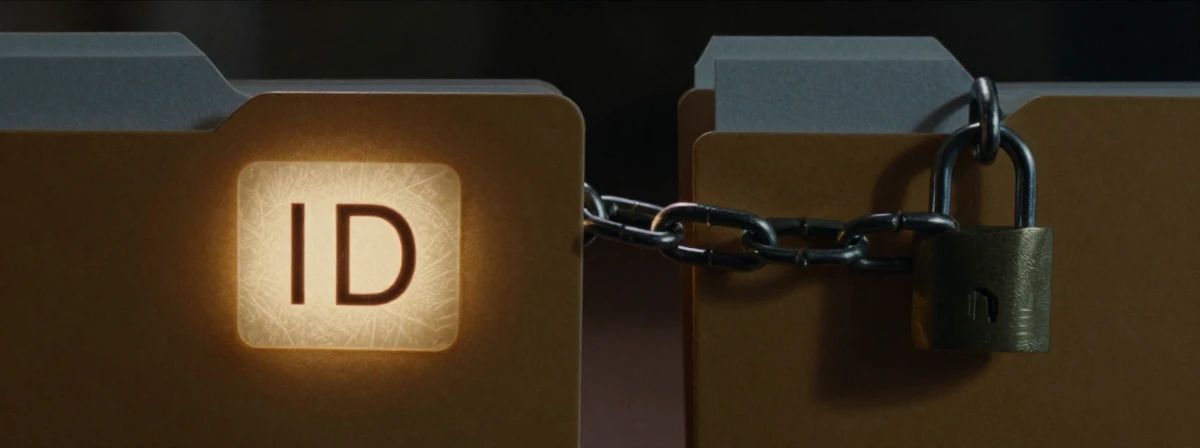
On the Mac, every file has a hidden ID number. When you open a file, the program holds onto that ID, not the name. So if you rename the file, the program still knows where it is. It’s like having a direct line to the file’s soul, while Windows is still dialing by name. This is why you can upgrade apps or even system files on a Mac without restarting — the programs keep working with the old files until they’re ready to let go.
- Windows Can Do It, But It Has to Ask Nicely

Windows actually has file IDs too, just like the Mac. There’s even a way to let files be renamed while they’re open — you just have to explicitly ask for it when you open the file. But who does that? Almost no one. It’s like having a superpower you never learned about. The default is still “no sharing,” meaning “don’t let anyone mess with this file while I have it.” It’s safer, but also more rigid.
The Memory Argument Was Real (Once)
Back in the early days, every byte mattered. Storing a unique ID for every file took extra memory. Windows chose to save memory by just using the filename. The Mac didn’t have the same constraints (or maybe just didn’t care as much about saving every last byte). Now? It barely matters. But the habit stuck. Like wearing a coat indoors because you’re used to the cold.Linux Proves the Point Even Further
Linux (and by extension, the Mac) takes this flexibility to the extreme. You can replace a file while it’s open, and the program will keep using the old version until it closes. This is why you can update almost anything on Linux without rebooting. The Mac follows this model too, which is why macOS updates feel so smooth. Windows, still clinging to its old ways, makes you wait.Backward Compatibility: The Heavy Anchor
Microsoft built Windows with a promise: if your program worked on the last version, it should work on the next. Changing how files work would break millions of programs. It’s like trying to change the rules of chess mid-game. So Windows stays stubbornly consistent, even when it doesn’t make sense anymore. The Mac, with fewer legacy programs to worry about, could break free and adopt a smarter approach.The Unix Way vs. The Mac Way (They’re Not the Same)
People say the Mac is just a Unix machine, but it’s not that simple. On Linux, if you rename a file while it’s open in an editor, the editor keeps the old name — now pointing to nothing. On the Mac, the editor updates the name in the title bar. It’s a small difference, but it shows how the Mac’s APIs are designed to be more user-friendly. The Unix way can be brutal; the Mac way feels more like magic.The Real Cost of Windows’ Rigidity
This isn’t just academic. It’s why Windows search is still so frustrating. Why you can’t always rename files. Why updates sometimes feel like a whole system reset. It’s not that Windows can’t do better — it’s that changing would break too much. The Mac and Linux can evolve because they didn’t promise to stay the same forever.
The Universe Speaks
Think about it: Windows is holding onto an old promise, a way of doing things that made sense decades ago. The Mac and Linux moved on, embracing a more flexible future. It’s not about which is “better” — it’s about how technology evolves (or doesn’t). Sometimes, the past is too heavy to shake off. But maybe, just maybe, it’s time to wonder what else we’re still carrying around just because we always have.